Types of Phishing Attacks You Should Know About
Phishing is one of the most common threats online. Scammers impersonate trusted organizations or people to either steal your money or trick you into revealing sensitive information. Understanding the different types of phishing can help you spot the warning signs before it is too late.
TL;DR
Phishing attacks come in many forms. Recognizing them and understanding how they work makes it easier to avoid them and protect yourself.
- Be cautious of unexpected messages asking for urgent action.
- Verify the sender before clicking links or opening attachments.
- Be aware of the risks of sharing sensitive information.
- Report suspicious messages to help protect others.
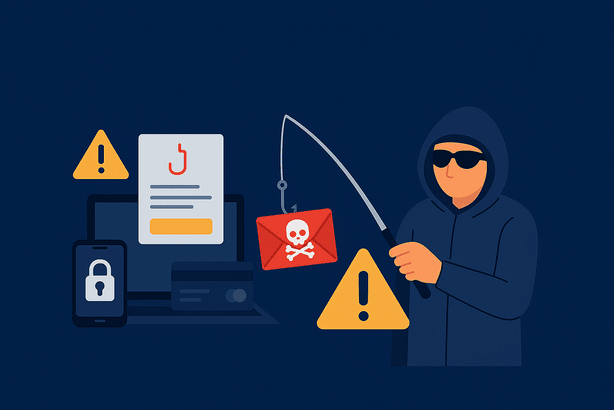
Email phishing
Email phishing typically targets a broad audience rather than a single individual. Attackers create a legitimately looking email that seems to be from a trustworthy company or organization. The most common method used is to include links in the email that redirect you to a website where you are asked to fill in a login form. The links itself might look like official website, but it is not.
- Goal: Steal personal information, login credentials, or financial data.
- Example: Emails prompting you to click a link to verify your bank account, leading to a fake login page.
More about email phishing

Spear phishing
Spear phishing targets specific person or organisation. While some of your personal information cannot be used, for example, to steal your money, attackers may use it to make themselves seem more trustworthy. If they know some of your personal information, you are more likely to give out more.
- Goal: Trick the victim into revealing sensitive information or installing malware.
- Example: A message claiming to be from your manager requesting urgent login credentials.
More about spear phishing

SMS phishing (smishing)
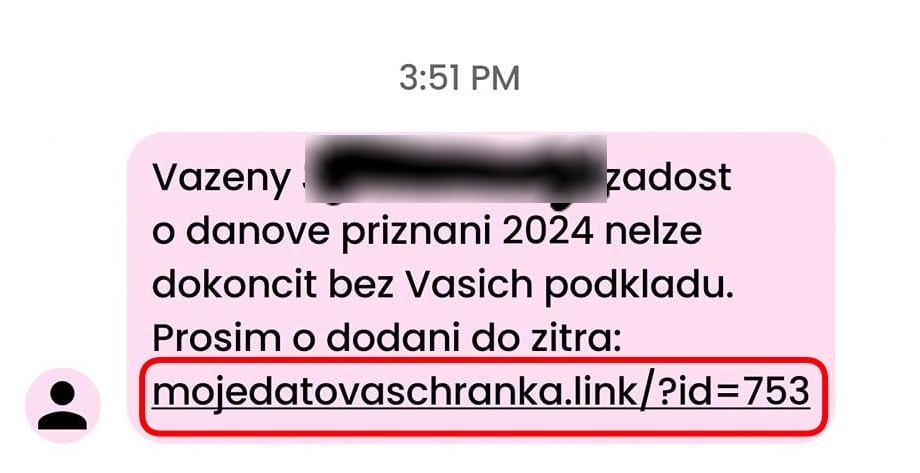
Smishing uses text messages instead of emails. These messages often appear to come from delivery companies, banks, or service providers and usually claim there is a problem that needs immediate attention. Since SMS messages feel more personal and urgent, many people act without checking the validity of the sender.
- Goal: Steal login credentials or financial information.
- Example: A message claiming your package is delayed with a link to reschedule delivery, leading to a malicious website.
More about smishing
Voice phishing (vishing)
Vishing happens over phone calls. Attackers may pretend to be bank employees or from technical support. What makes this effective is that the victims usually believe that because the call is happening at the moment, there is no time to check whether the caller is who they claim to be.
- Goal: Extract sensitive information like passwords, one-time codes, or credit card details.
- Example: A caller warns you of “suspicious activity” on your account and asks for verification codes.
More about vishing
Page hijacking
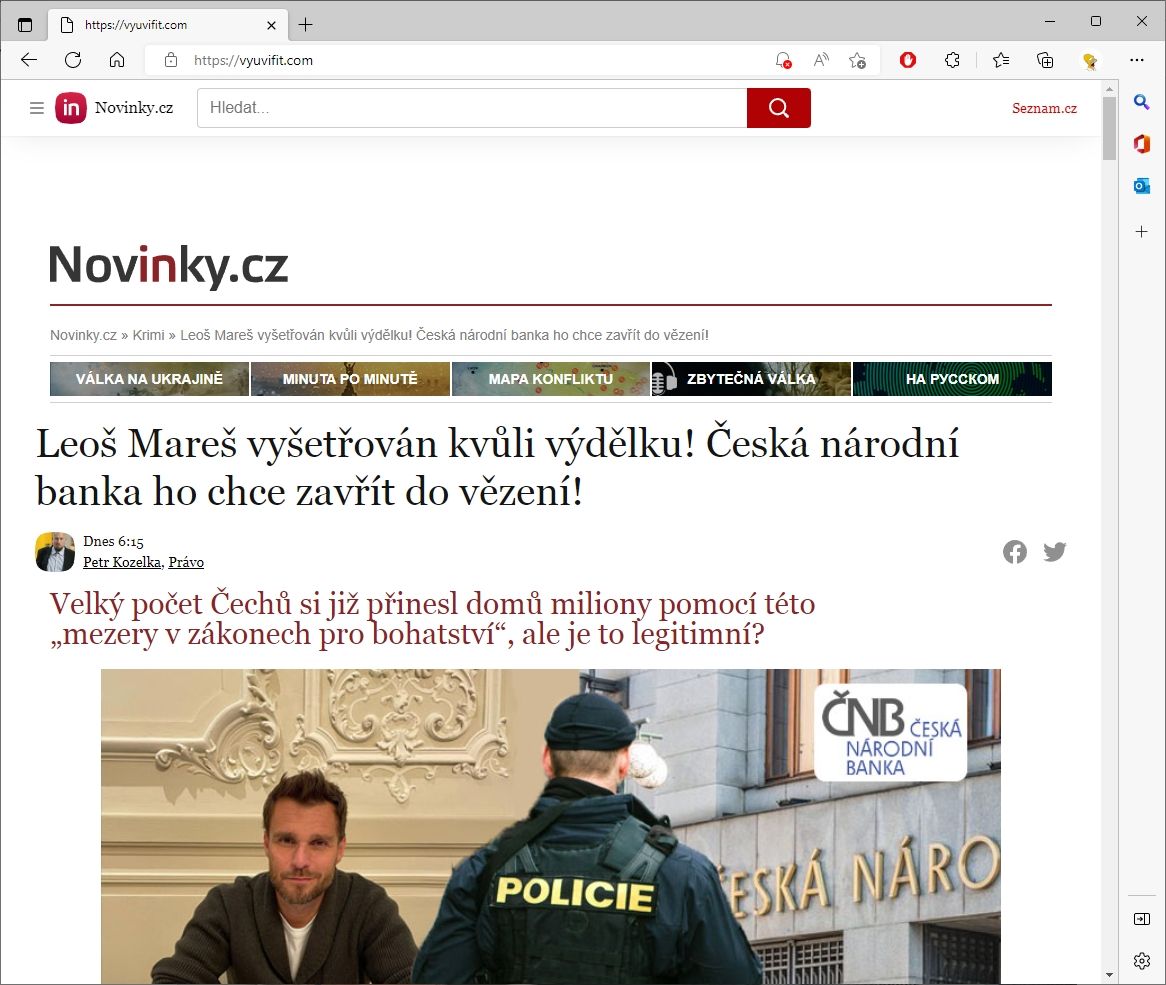
Page hijacking involves redirecting users from a legitimate website to a malicious one without their knowledge. This can happen through compromised websites or malicious ads.
- Goal: Capture login credentials or personal data, or trick the user into downloading malware.
- Example: Clicking a compromised ad on a legitimate site redirects you to a fake bank login page.
More about
QR code phishing (quishing)
Quishing uses QR codes to hide malicious links. Because QR codes cannot be visually inspected like URLs, it is harder to judge whether they are safe.
- Goal: Steal login information or prompt malware downloads.
- Example: A QR code labeled as a restaurant menu actually leads to a fake banking site.
Ad-based phishing
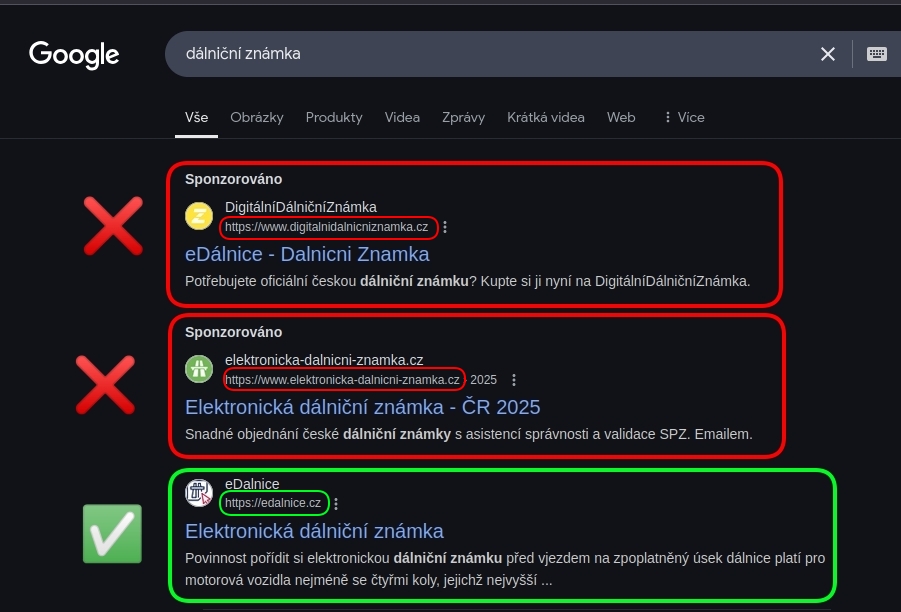
Ad-based phishing delivers attacks through paid advertisements on search engines or social media platforms.
- Goal: Steal money, login credentials, or payment information.
- Example: Fake e-shops promoted via Facebook ads.
More about
Scams selling counterfeit tickets or goods with prepayment requests.
How to protect yourself from phishing
- Our app Redamp.io includes a Safe Surfing feature that effectively handles protection against the latest threats such as phishing or malware.
- Do not rush - Phishing relies on urgency and fear to make you act without thinking.
- Verify the source - Always double-check email addresses, phone numbers, or websites before clicking links or responding.
- Do not share sensitive information - Legitimate organizations will never ask for passwords, PINs, or one-time codes via email, SMS, or phone calls.
- Do not click suspicious links or attachments - If a message seems unusual, visit the organization’s website directly instead of using provided links.
- Report phishing attempts - Inform your bank, service provider, or workplace, and report the message so others can be protected.
- Update your security - If you suspect your information may have been exposed, change your passwords immediately and enable additional security measures such as two-factor authentication.
Final Recommendations for Your Safety
Stay informed! Read our blog and follow alerts in the app about the latest threats we’re monitoring for you.