You Paid the Invoice. But to Whom?
- Published
- Threat for
- All countries
An invoice from a familiar supplier, the correct amount, and the company logo. Everything looks normal, yet your money could end up in a scammer's account. All it takes is a change to the payment details or a fake QR code. How does this scam work, and what should you check before paying?
Summary
Even an invoice from a trusted supplier can be fraudulent. Sometimes, all scammers need to do is change the bank account number or replace a QR code to redirect your payment.
- An invoice can look exactly as it usually does. Only the payment details have been changed.
- Scammers exploit trust in familiar suppliers. They may send a fake invoice or a message announcing a change of bank account.
- QR payments can also be manipulated. Always check who you're paying and how much before confirming a transaction.
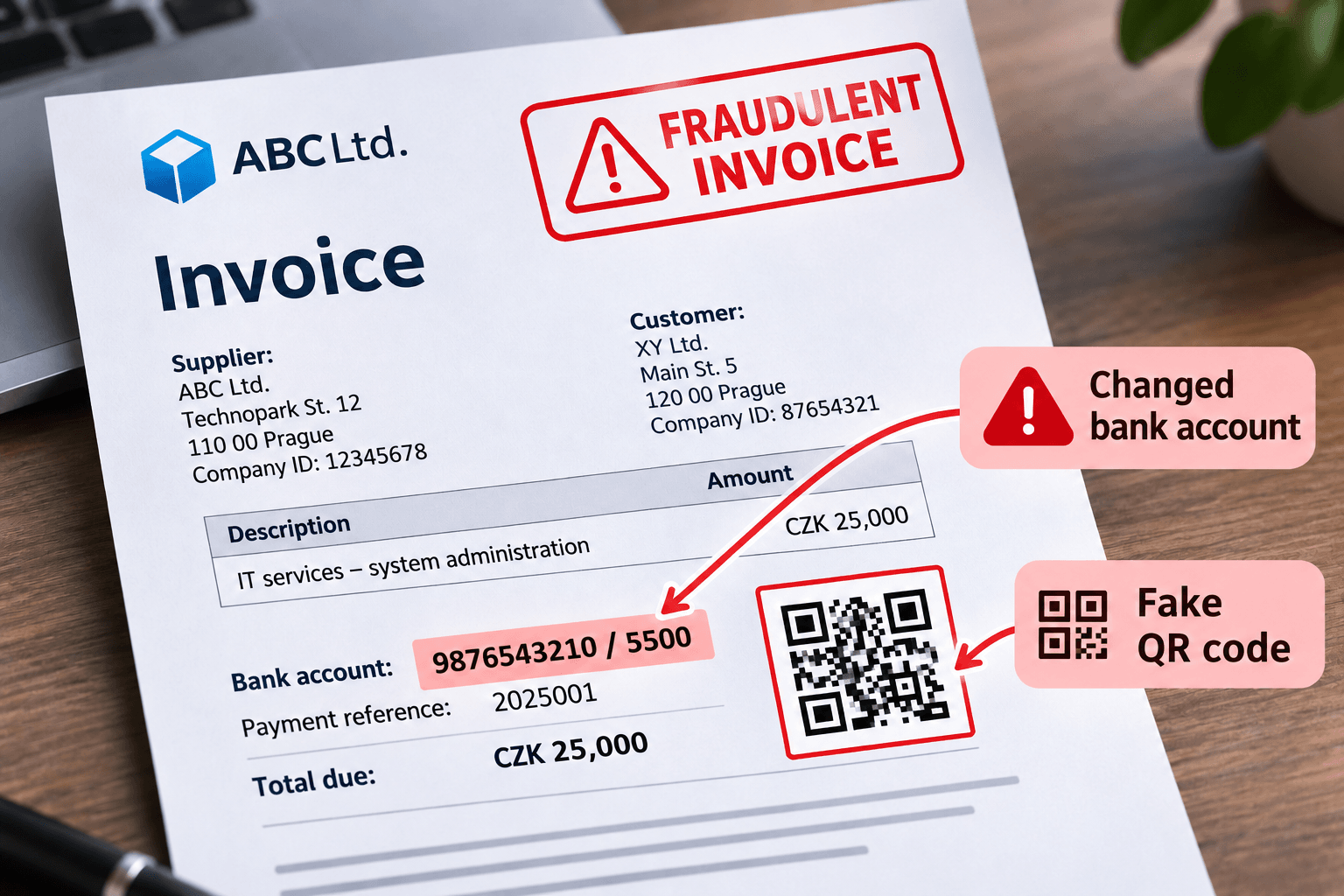
A Different Bank Account Is All It Takes
You receive an invoice from a supplier you regularly work with. The company name, logo, and amount all look right, so you pay it without thinking twice. But the bank account number has been changed, and your money goes to a scammer instead.
Attackers may forge an invoice or gain access to email conversations between businesses. By reading previous messages, they can make their fraudulent requests look convincing.
Sometimes, a simple email is enough. Someone posing as the supplier announces a change of bank account and asks you to send future payments to the new account.
Watch Out for QR Payments
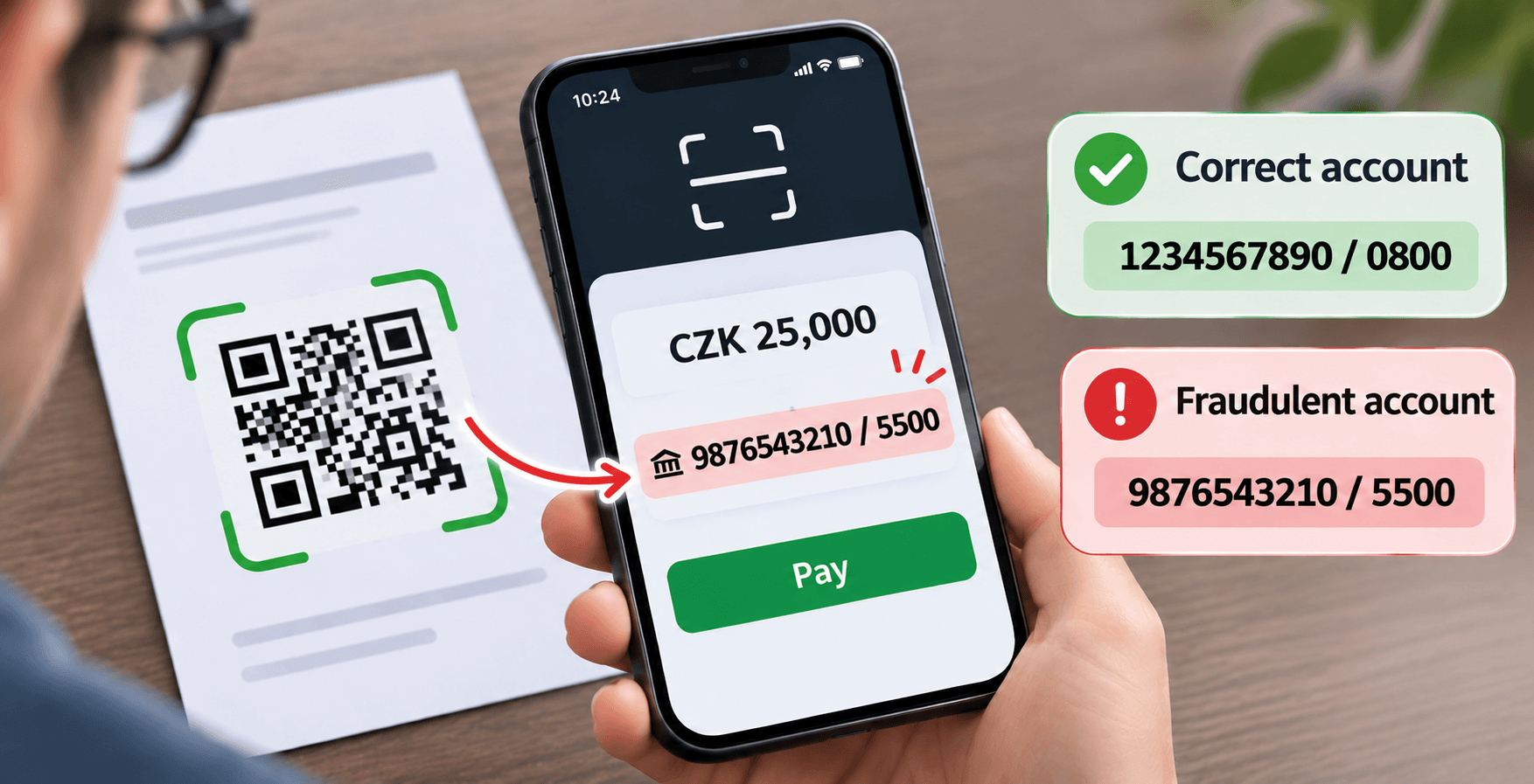
QR codes make payments easier. Just scan the code, and your banking app automatically fills in the payment details.
But if a scammer replaces the QR code on an invoice, your money could be sent to their account. The code itself may look completely normal.
QR payments aren't inherently unsafe. The important thing is to check the bank account number and amount before confirming, even when your app fills them in automatically.
How to Spot a Fake Invoice
A fraudulent invoice doesn't necessarily contain spelling mistakes or other obvious warning signs. That's why checking the payment details matters more than simply looking at the document.
- Compare bank account numbers. For regular suppliers, check whether the account matches previous invoices.
- Verify changes to payment details. If a supplier announces a new bank account, confirm it by calling a phone number you already know and trust.
- Double-check QR payments. Before confirming, review the recipient's account number, amount, and other automatically filled details.
- Don't let anyone rush you. Urgent payment requests and unexpected reminders may be attempts to bypass normal checks.
If you've already sent money to a suspicious account, contact your bank immediately. The sooner you report the fraud, the better your chances of stopping or recovering the payment.
A legitimate-looking invoice doesn't guarantee that the payment details are correct. Taking a few minutes to verify an unusual payment could save you from a costly mistake. For more practical advice on spotting online scams and protecting your finances, visit the Redamp.io blog .